文档工具
· 阅读需 4 分钟
编写技术文档专属的文档工具
vitepress
介绍
用来写 markdown 文档,非常方便;
初始化
npm init

pnpm add -D vitepress

npx vitepress init

# 这里按照官方建议,放在docs目录
1. Where should VitePress initialize the config?
  ./docs
启动与编译
// 自定义启动方式
{
  "scripts": {
    "start": "vitepress dev docs",
    "build": "vitepress build docs"
  }
}
目录结构
...

- .vitepress
  # 主题
  - theme
    - index.ts
  # 配置文件
  - config.mts
    ...
配置文件
import { defineConfig } from "vitepress";

// https://vitepress.dev/reference/site-config
export default defineConfig({
  // 页面的标题
  title: "",
  // 自定义title格式
  titleTemplate: ":title",
  // 页面的描述
  description: "",
  // 添加网站图标
  head: [["link", { rel: "icon", href: "/favicon.png" }]],
  // 启用暗黑模式
  appearance: undefined, // dark
  // 更新时间
  lastUpdated: true,

  // 项目的构建输出位置
  outDir: "./dist",

  themeConfig: {
    // 网站标题
    siteTitle: "",
    // 徽标文件
    logo: "/favicon.png",
    // 社交链接
    socialLinks: [{ icon: "github", link: "https://github.com" }],
    // 页脚
    footer: {
      message: "",
      copyright: "Copyright © 2023",
    },
    // 搜索
    search: {
      provider: "algolia",
      options: {
        appId: "...",
        apiKey: "...",
        indexName: "...",
      },
    },
    // 下一个
    docFooter: {
      prev: "上一页",
      next: "下一页",
    },
    // 最后更新时间
    lastUpdated: {
      text: "最后更新于",
      formatOptions: {
        dateStyle: "short",
        timeStyle: "short",
      },
    },

    // 导航
    nav: [],

    // 侧边栏
    sidebar: {},
  },
});
主题
// https://vitepress.dev/guide/custom-theme
import Theme from "vitepress/theme";
import { h } from "vue";
import Comments from "../components/Comments.vue";
import "./style.css";

export default {
  extends: Theme,

  Layout: () => {
    return h(Theme.Layout, null, {
      // 这里加载评论模块
      "doc-after": () => h(Comments),
    });
  },
};
添加评论
使用 giscus 实现评论功能。https://giscus.app
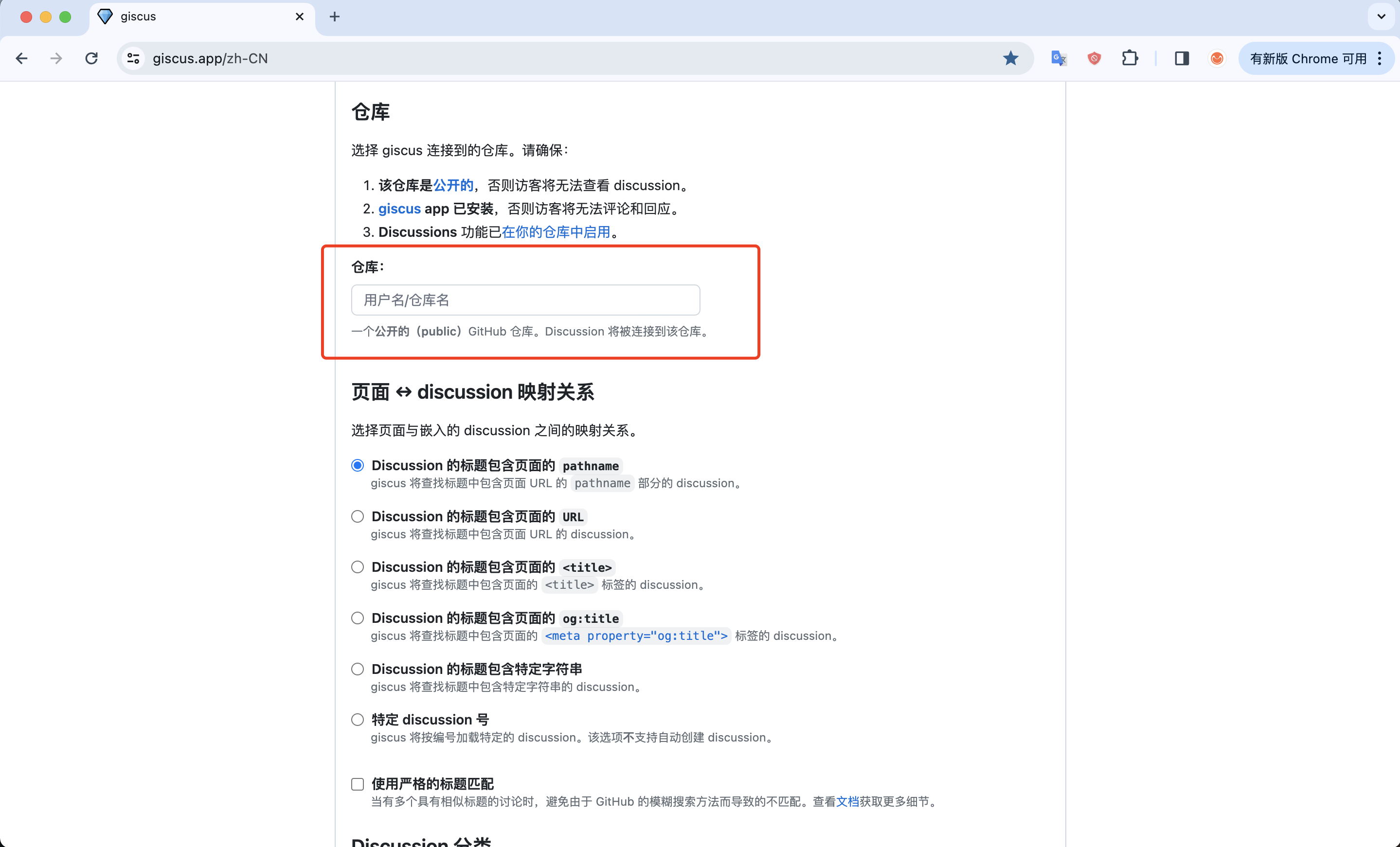 完成上面三步骤,即可验证。
安装
pnpm add @giscus/vue
配置
<!-- /components/Comments.vue -->

<template>
  <Giscus
    v-if="showComment"
    :repo="giscusConfig.repo"
    :repo-id="giscusConfig.repo_id"
    :category="giscusConfig.category"
    :category-id="giscusConfig.category_id"
    mapping="title"
    strict="0"
    reactions-enabled="1"
    emit-metadata="0"
    input-position="top"
    theme="light"
    lang="zh-CN"
    loading="lazy"
    crossorigin="anonymous"
    async
  />
</template>

<script lang="ts" setup>
import Giscus from "@giscus/vue";
import { useRoute } from "vitepress";
import { reactive, ref, watch } from "vue";
const route = useRoute();

const giscusConfig = reactive({
  repo: "...", // # 这里就是giscus官方提供的
  repo_id: "...", // # 这里就是giscus官方提供的
  category: "...", // # 这里就是giscus官方提供的
  category_id: "...", // # 这里就是giscus官方提供的
});

const showComment = ref(true);

watch(
  () => route.path,
  () => {
    showComment.value = false;

    setTimeout(() => {
      showComment.value = true;
    }, 200);
  },
  {
    immediate: true,
  }
);
</script>
添加到全局
// https://vitepress.dev/guide/custom-theme
import Theme from "vitepress/theme";
import { h } from "vue";
import Comments from "../components/Comments.vue";

export default {
  extends: Theme,

  Layout: () => {
    return h(Theme.Layout, null, {
      // https://vitepress.dev/guide/extending-default-theme#layout-slots
      "doc-after": () => h(Comments),
    });
  },
};
参考链接
gitbook
在线,需要 🪜
nextra
额,一般
docusaurus
👍